Transcript
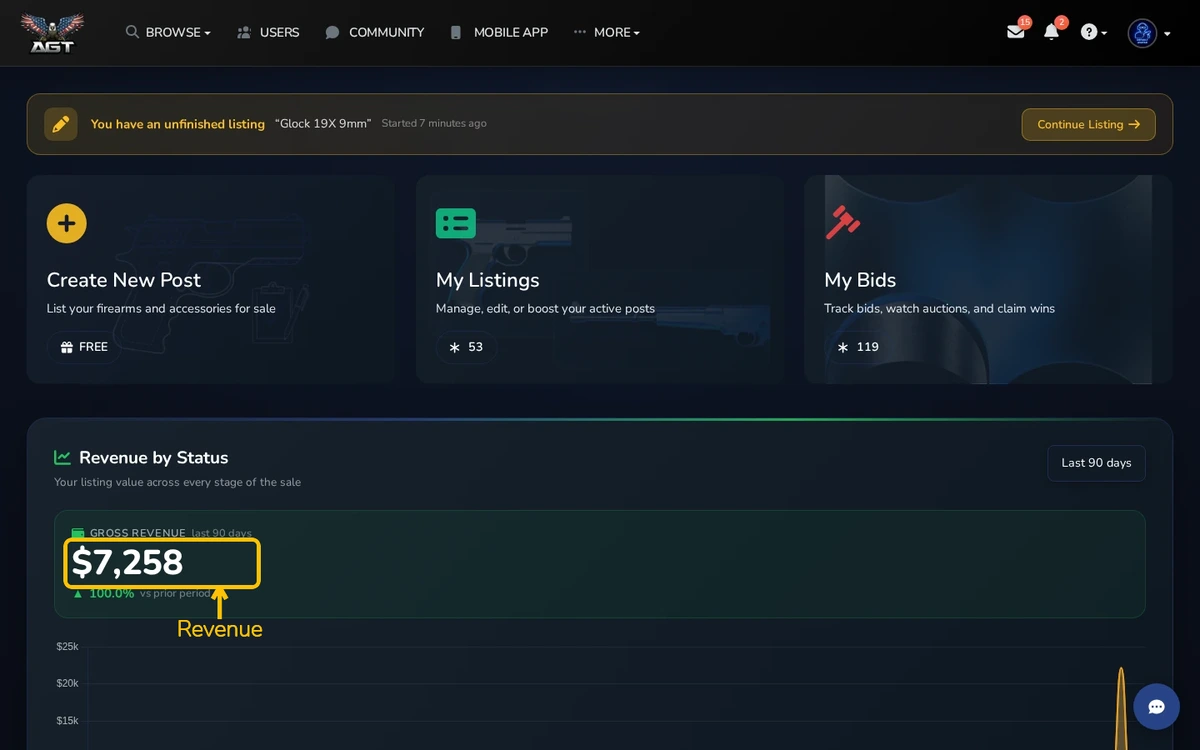
Quick actions: Use the dashboard cards to reach new listings, My Posts, and My Bids.

Start another listing: New Post opens a blank wizard without leaving My Posts. This tour does not create a listing.

My Listings card: My Listings opens your active and draft posts.

My Bids card: My Bids tracks auctions you are watching or winning.

Messages: Open Messages to keep buyer and seller conversations on the platform.

Reports below: Scroll for revenue tiles and charts when you have listing or sales history.

Chart range: Change the Post Views range to compare recent traffic.

Views chart: The views chart shows how buyers discovered your listings over time.
Use this page as your map of American Gun Trader. Choose whether you are buying or selling, then use the dashboard to jump into the next action without hunting through the menu.
Your next move
Buying or selling? Start here.
The same account supports both experiences. The path you choose changes the first action, not the rest of the tools you can use.
Find, compare, and complete the purchase
Browse listings, save an alert, message the seller, place a bid when needed, and choose an FFL for the transfer.
Open the buyer guideTurn your item into a clear, trusted listing
Use Create New Post, add useful photos and pricing, answer buyers in Messages, and keep the transfer on the compliant path.
Create a listingQuick overview
- Choose the buying or selling path above
- Use the dashboard tiles for the next action
- Return to this guide when you need the reports or account tools
What you can do
As a member you can list firearms and accessories for sale, place bids on auctions, chat directly with other members, and join community groups. Most of the platform is free. Optional boosts and a vendor subscription are available for members who need them.
Finding your way around
The dashboard is organized in layers. Start with the three action tiles, then read the large seller chart, and use the smaller reports below it when you need performance detail. The header mail icon opens Messages, where buyer and seller conversations live. The bell shows alerts, and Help opens the guide that matches the page you are on.
Create a post without losing your place
When you are ready to sell, use Create New Post from the dashboard or the main menu. The wizard saves a draft as you work, so you can pause and return without rebuilding the listing.
Create post path
- Open Create New Post.
- Choose the item details, price, photos, and transfer terms buyers need.
- Review the listing, submit it, then manage replies from Messages.
Need the full dashboard report walkthrough? Read Dashboard Reports. Need to start the listing now? Create your post.
Signing in
You can sign in with email and password, with Google, or by adding a passkey (Face ID, Touch ID, or your device PIN) under Settings → Passkeys. It is a faster, phishing-resistant option you can use alongside your existing sign-in method.
Next steps
Two things make a big difference right away:
- Complete your profile. A real name, photo, and short bio earn faster replies.
- Verify your email and phone. Without verification you cannot post listings or message other members.


