If a member is rude, spammy, or breaking rules, you can block them, report them, or both.
Quick steps
- Open the conversation or their profile
- Click the menu (three dots)
- Choose Block or Report
Blocking
Blocking a member stops all future messages from them and hides their listings from your view. They are not notified that you blocked them.
You can unblock anyone later from Settings → Blocked Members.
Reporting
Reporting flags the member or the specific message to our safety team. Use it for harassment, scams, off-platform payment attempts, or anything illegal.
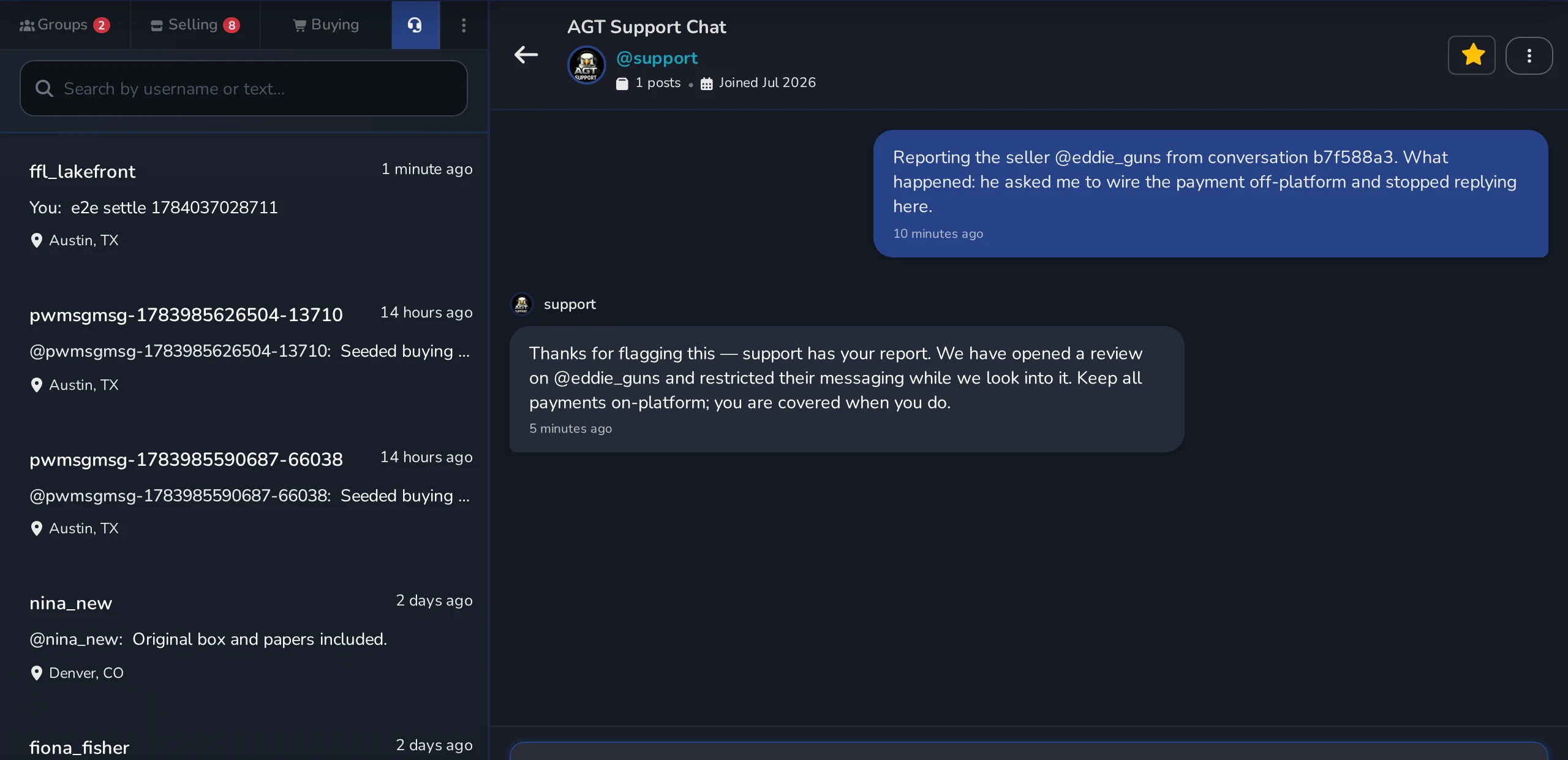
- Report the member — the three-dot menu in the chat header, shown as Report Buyer or Report Seller. This opens your support chat with their handle and a short reference to this conversation already filled in.
- Report one message — the flag on the message itself.

Support replies in your support chat
A report opens a real one-on-one conversation with @support. Our team answers you there, on the headset tab in Messages, and unread replies show a badge on that tab — so you can tell your report was received without emailing anyone.
What happens after a report
- Most reports are reviewed within 24 hours.
- Safety-critical reports (threats, scams) are prioritized.
- Support replies to you in your support chat.
- The member you report is not told it was you.
- Outcomes range from a warning to a permanent ban.
When in doubt
Block first, ask questions later. Your peace of mind matters more than a maybe-rude stranger.



