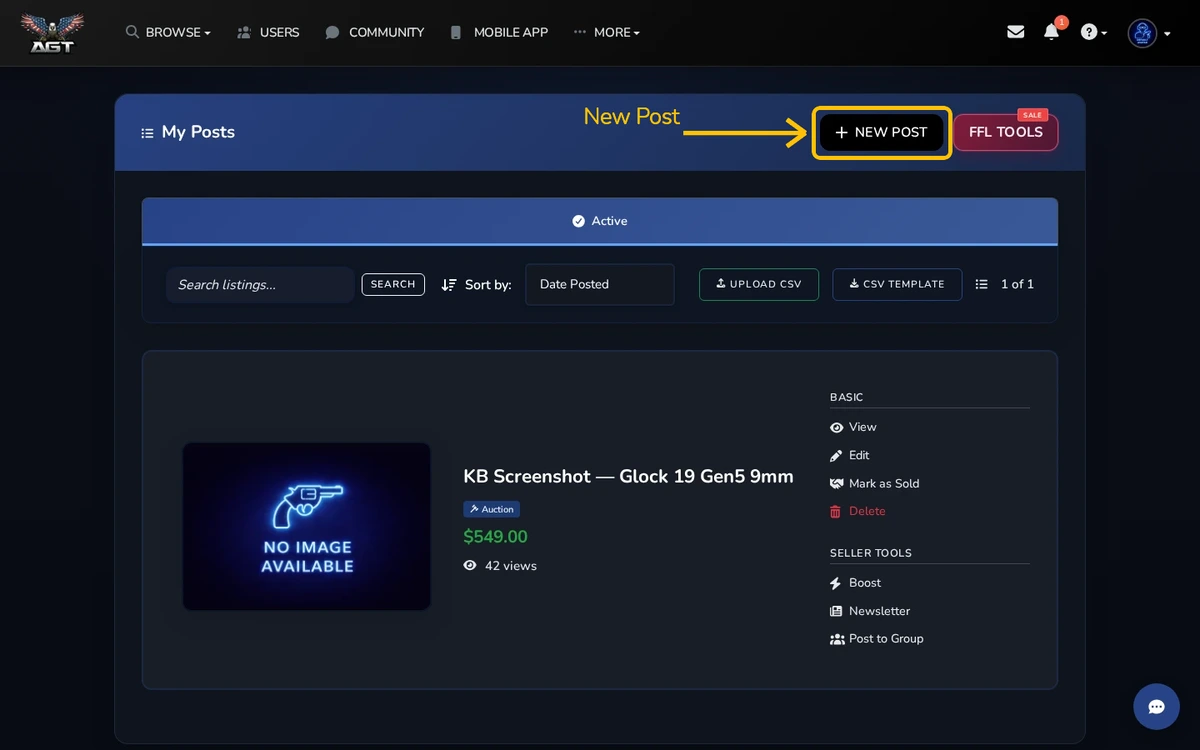
My Posts is mission control for everything you have listed — active, sold, draft, or waiting on moderation.
Quick steps
- Open My Posts from the main menu
- Use the tabs to switch between Active, Sold, Drafts, and Pending
- Edit, boost, mark sold, or delete any listing
The tabs
- Active: your live, public listings.
- Sold: listings you have closed out.
- Drafts: unfinished listings, saved automatically.
- Pending: listings awaiting moderation approval.
Per-listing actions
Every card has an action menu: Edit, Boost, Mark Sold, Delete, Duplicate. Duplicate is handy if you sell several of the same item.
Search and sort
The search box filters across titles and descriptions. Sort by newest, oldest, price, or view count to find what you need.
Pending explained
New listings are reviewed before they go public. Most clear within a few hours during business hours. You will get an email when your listing goes live.



