API tokens let an approved integration access the parts of your account that its permissions allow.
Quick steps
- Open Settings → API Access Tokens
- Name the token and set an optional expiry
- Copy it once and store it safely
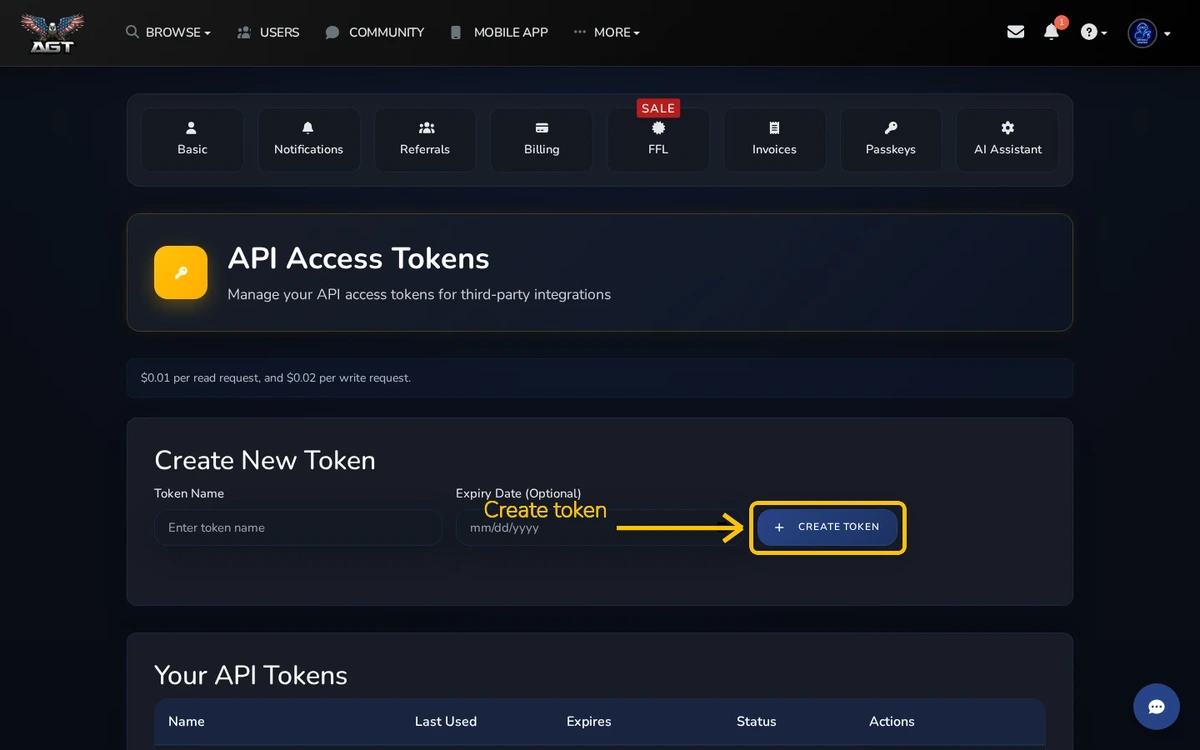
Create a token
Give the token a name you will recognize. An expiry date limits how long it can work. Create a separate token for each integration.
Protect the token
The full token is shown only when it is created. Store it in your integration's secret settings. Never paste it into a public issue, chat, screenshot, or browser code.
Revoke a token
Revoke a token when an integration is retired or the token may be exposed. Create a new token before changing an active integration.
Usage
The usage cards on this page summarize recent read and write requests so you can see cost over time.



