If a member or listing breaks the rules — harassment, scam attempts, prohibited items, off-platform pressure — report it. The reported member never learns it was you, and support replies to you directly in your support chat.
Quick steps
- Open the conversation or the member’s profile
- Click the menu (three dots), or the Report link on their profile
- Choose Report — your support chat opens with the details filled in
- Add what happened and send
- Watch for the reply on the headset tab in Messages
What to report
- Off-platform payment requests
- Scam patterns (overpayment, fake escrow, urgency pressure)
- Harassment, threats, or hate speech
- Prohibited items (stolen, NFA without verification, auto-conversion devices)
- Counterfeit or fake listings
- Anything illegal
How to report
Reporting a member starts in one of two places:
- From a conversation — open the chat and use the three-dot menu in the header. The entry reads Report Buyer or Report Seller depending on who they are to you.
- From their profile — use the Report link in the Report User card.
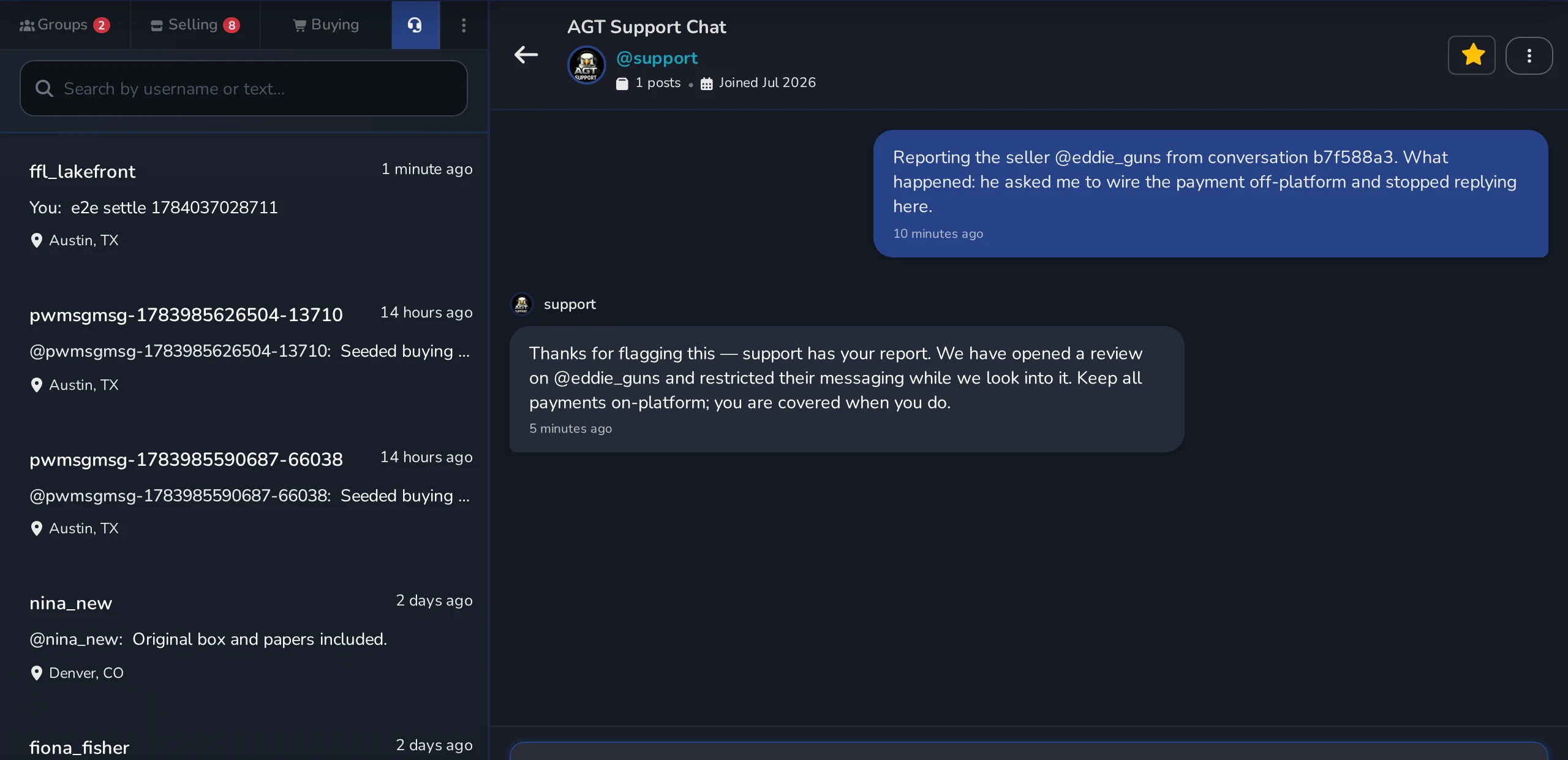
Either way, your private support chat opens with the member’s handle already filled in — and, when you reported from a conversation, a short reference to that conversation so support can pull it up. Add what happened and send. To report a single message rather than a member, use the flag on the message itself.
Support replies to you
Your report lands in a real one-on-one conversation with @support, and our team answers you there. Find it any time on the headset tab in Messages — unread replies show a badge on that tab.
Be specific
The more context you add, the faster we can act. Quote the message, link the listing, describe the pattern.
What happens next
- Most reports are reviewed within 24 hours.
- Safety-critical reports (threats, scams in progress) are prioritized.
- Support answers you in your support chat, so you are not left guessing whether the report landed. We still cannot share the specific account action taken against another member.
- The reported member never sees your name.
Only @support is support
Real support messages come only from @support, in the support chat you opened. Anyone else claiming to be AGT staff — especially if they ask for a password or a login code — is a scam. Flag it and don’t reply.
Emergencies
If you believe a crime is happening or someone is in danger, contact local law enforcement first. Then file the platform report so we have a record.



